
After logging into the portal, you will be presented with the below screen.
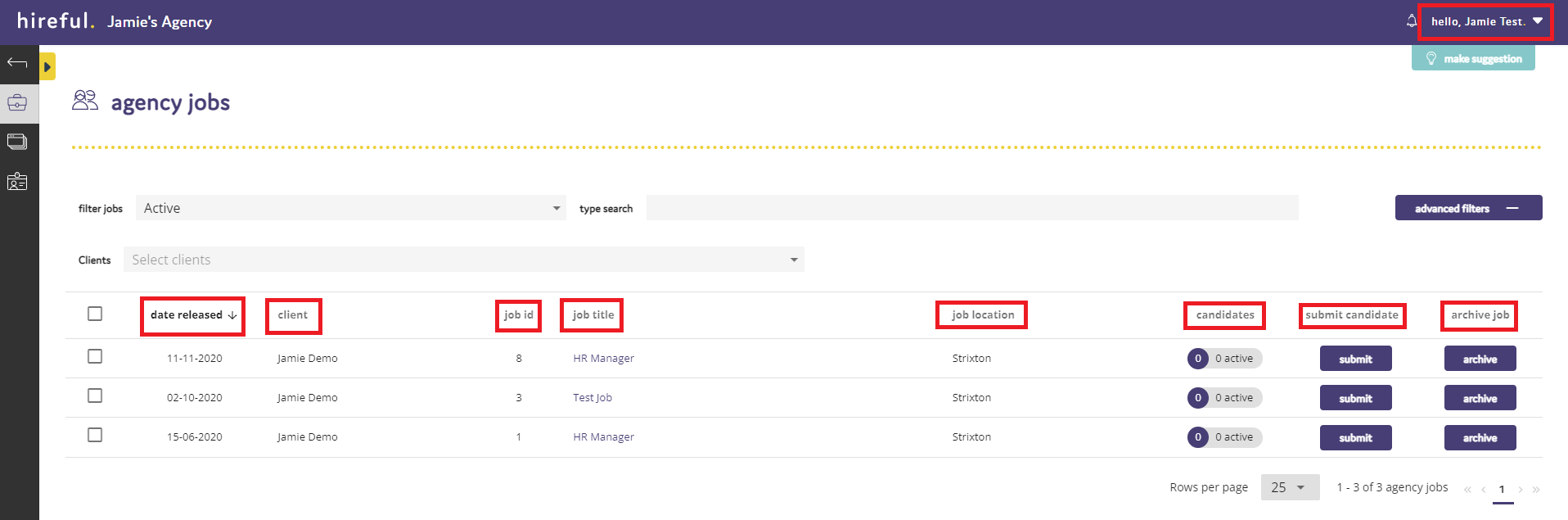
Date Released - This is the date the job was released to you on.
Client - The client that has released the role for you to submit applicants for.
Job ID - This is the individual reference number from the client's ATS system for the role.
Job Title - The job title for the role. By clicking on the job title a job description and further details of the role will show.
Job Location - The location of the role will be located.
Candidates - The number of applicants that you have submitted for the role.
Submit Candidate - The area where you can submit an applicant for the role.
Archive Job - This lets you archive the job so that it does not appear on your active list.